
Price List & Menu Maker
Desygner Pty LtdFood & Drink
4.7103.00 Reviews
- Version
- 5.4.7
- Installs
- 500.00K
- Age Rating
- Everyone
Screenshots

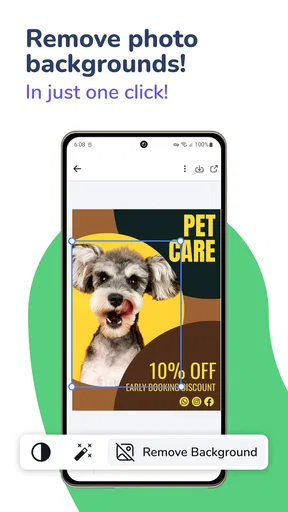
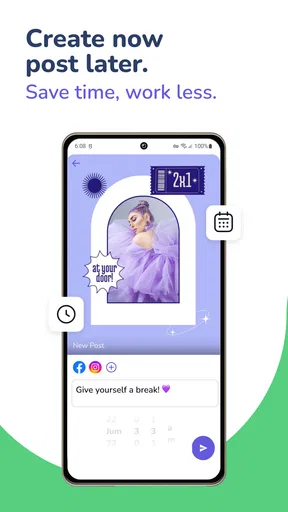
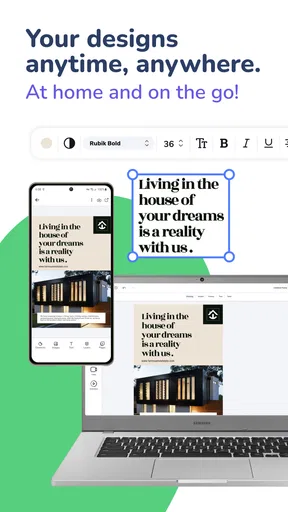
Our Review of Price List & Menu Maker
 Analysis by Appyee
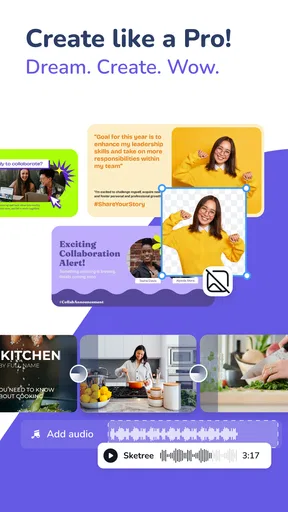
I tend to judge a menu-making app by a practical question: can I make a clear, polished price list without turning a small update into a design project? Price List & Menu Maker is built for that kind of task. It gives food businesses and other sellers a way to put their offerings into a visual format, and it can also suit personal jobs such as preparing a garage-sale list. I see its main appeal as convenience: it sits between a plain document and a full design program, with ready-made layouts to help get started.
What the free access does—and does not—mean
The app is free to download, which makes it easy to try before deciding whether it fits your routine. It also offers in-app purchases priced from $3.99 to $69.95 per item, so “free” should not be read as a guarantee that every option is included at no cost. I would start by building one real menu or price sheet and checking whether the tools I need are available in the free experience before considering a purchase.
That approach matters because the value depends on how often you make visual lists and how much control you need. If I only need a single simple sheet, paying for extras may be hard to justify. If I regularly refresh a café menu or create price lists for products, saving time on layout could be worthwhile—but I would compare the available purchase options against my actual workflow rather than assume an upgrade is necessary.
Where the time savings can show up
A useful workflow is to settle the content before browsing templates: group items into sections, check names and prices, then choose a design that suits the amount of text. This avoids spending time styling a layout only to discover that a long list does not fit comfortably. I would also preview the finished page at the size it will be viewed or printed; small type that looks fine on a phone can be less readable on a counter display.
For a small café, one person could update a seasonal drinks list, review the design, and share a finished version without opening a desktop design program. A market seller might use the same basic process for a short product price sheet, while a community group could prepare a food-sale menu. These are modest jobs, but they are exactly where a template-led tool can feel more approachable than starting from a blank page.
How it compares with familiar alternatives
A word processor is often the better choice when the priority is editing text, keeping a document accessible to collaborators, or making a very plain list. A general-purpose design app may suit someone who wants deeper control over layouts and is willing to spend longer learning the tools. This app’s niche is narrower: it focuses on menus and price lists, so its ready-to-use starting points can reduce setup effort for those specific materials.
That focus is also a trade-off. A template can help a first draft look organized, but it cannot decide whether the prices, wording, or hierarchy make sense to customers. I would treat the design as the last step, not a substitute for checking the details. If a business needs tightly controlled branding across many kinds of documents, a broader design workflow may offer more flexibility than a purpose-specific maker.
Small checks that prevent awkward results
Before sharing a menu, I would read it as a customer would: scan the section headings first, look for confusing item names, and confirm that each price sits beside the right product. If images are used, I would keep them relevant and avoid crowding the page; decoration is less useful than a quick-to-read list when someone is ordering. A final preview is especially helpful after changing the amount of text, because a layout that worked for a short list may feel cramped with extra entries.
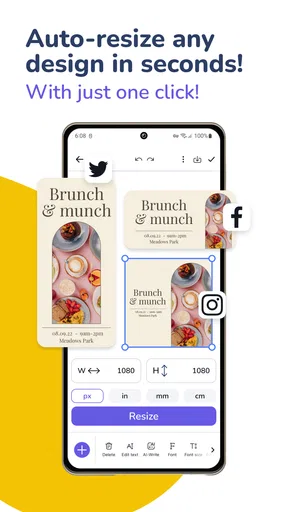
It is also worth thinking about where the finished design will appear. A page intended for printing needs comfortable text size and clear contrast, while something shared digitally should remain legible on a small screen. I would make a separate version when the same information needs very different layouts, rather than shrinking everything to force it into one design. That extra check takes a little care, but it is a sensible way to avoid a menu that looks attractive yet is difficult to use.
Who is likely to get the most from it?
I would recommend giving it a try if you run a small food business, sell a limited range of goods, or occasionally need a presentable list without a steep learning curve. It is also a reasonable option for someone who prefers choosing a starting layout over arranging every element from scratch. Desygner Pty Ltd develops the app, which is listed in Food & Drink; its audience rating is 4.7 from around 24,000 ratings, and it has more than 500,000 installs.
On the other hand, I would skip it if I need advanced document collaboration, precise brand controls across a large set of materials, or a tool that is free with every feature I expect. Those needs point toward a word processor, a broader design platform, or another workflow that explicitly supports them. The app is rated for Everyone, runs on Android 5.0 and later, and its current version is 5.4.7. It was released on March 24, 2020, so it has been available for several years, though that alone does not tell me whether every individual feature will suit a particular device or task.
For a first test, I would make a short, low-stakes price list with the exact content I plan to use. That reveals whether the templates feel right, whether editing is comfortable, and whether the finished page suits its destination. If the free access handles that job neatly, there may be no reason to spend anything. If a paid option would remove a recurring bottleneck, I would weigh its cost against how often I make these materials rather than treating an upgrade as automatic.
I've recently had the chance to dive into the world of the Price List & Menu Maker, and I must say, it's quite the nifty app for anyone looking to create professional-looking menus or price lists without breaking a sweat. Whether you own a café or just want to organize a garage sale, this app might just be the digital assistant you've been looking for. Let’s break down my experience with it.
Getting Started with Ease
First things first, downloading the Price List & Menu Maker was a breeze. Available on both Android and iOS, I had it up and running in no time. The app welcomes you with a clean and intuitive interface. It felt like the developers really prioritized user-friendliness, which is always a plus. I didn’t need a manual or a YouTube tutorial to figure things out — everything was pretty straightforward.
Designing Your Masterpiece
Once inside, the design options are plentiful. There’s a wide variety of templates to choose from, catering to different styles and purposes. Whether you’re aiming for something chic and modern or classic and elegant, there’s something for everyone. I spent a good chunk of time just exploring the templates, and it was actually quite fun!
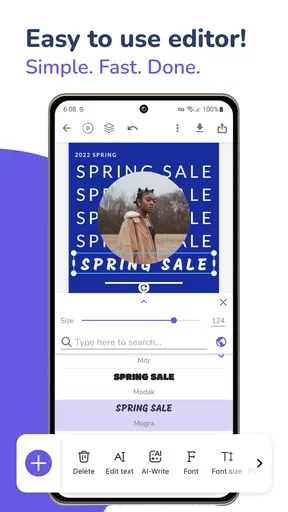
What I really loved was the level of customization available. You can tweak colors, fonts, and images to make sure your menu or price list truly represents your brand or personal style. The drag-and-drop feature makes it super easy to move elements around, and honestly, it felt like playing with digital Lego blocks. It’s all about making your creation uniquely yours.
Features That Stand Out
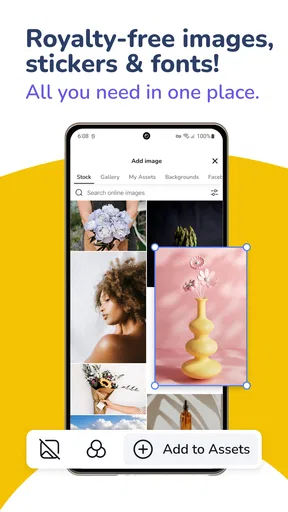
Beyond the basics, the app is packed with features that elevate the experience. Adding images and logos is a cinch, and the ability to import items directly from your phone’s gallery is a game-changer. Plus, there’s an option to add barcode scans, which can be incredibly handy for restaurants or retail businesses.
The app also offers a preview feature, allowing you to see exactly how your menu or price list will look before you hit the print or share button. This little detail ensures you catch any tweaks needed before going public, saving you a lot of potential headaches.
Sharing and Printing
Once your masterpiece is ready, sharing it couldn’t be easier. The app provides options to export your work in different formats like PDF or JPG, making it versatile for various uses. Whether you’re sending it to a professional printer or just sharing it on social media, the app has got you covered.
Printing directly from the app is another feature I found super convenient. It connects seamlessly with most wireless printers, so you can have a hard copy in your hands within minutes. No more fiddling with file transfers and printer settings — just click and print.
Room for Improvement
While the app ticks many boxes, there’s always room for improvement. One thing I noticed was that some templates could use more customization options. Having more flexibility in altering the layout would be a welcome addition. Also, the free version comes with some limitations, which might not be ideal for everyone. However, the premium upgrade isn’t too pricey and offers a more extensive range of features.
Conclusion: Worth a Try?
In conclusion, the Price List & Menu Maker is a solid choice for anyone needing an easy-to-use, yet powerful tool for creating menus and price lists. Its user-friendly interface, coupled with its variety of templates and customization options, makes it a standout in its category. While it has a few limitations, the overall experience is positive and certainly worth exploring, especially if you’re in the market for a hassle-free design app.
So, if you’re tired of plain text documents or struggling with complex design software, give this app a whirl. You might just find it becoming a staple in your app collection!
Verdict
Strengths of Price List & Menu Maker
- User-friendly interface for easy navigation.
- Customizable templates for personal branding.
- Supports multiple file formats for export.
- Cloud storage integration for easy access.
- Regular updates with new features.
Limitations of Price List & Menu Maker
- Limited free version with fewer templates.
- Some features require in-app purchases.
- Occasional crashes reported by users.
- No offline mode available for editing.
- Limited font variety in free version.
Similar Picks in This Category
View All
Rappi: Food Delivery, Grocery
Rappi, Inc - Delivery3.5

McDonald’s: Cupons e Delivery
Arcos Dorados4.3

Swiggy: Food Instamart Dineout
Swiggy4.7

Blinkit: Groceries & more
Blinkit4.8

foodpanda: food & groceries
Foodpanda GmbH a subsidiary of Delivery Hero SE4.0

Zomato: Food Delivery & Dining
Zomato4.7
Frequently Asked Questions
What features does Price List & Menu Maker offer?
Price List & Menu Maker provides a range of features including customizable templates, a user-friendly interface, and the ability to add images and descriptions to your menus. It also supports multiple languages and currencies, making it suitable for businesses worldwide. You can save and share your menus easily, ensuring efficient communication with customers.
Is Price List & Menu Maker suitable for small businesses?
Yes, Price List & Menu Maker is ideal for small businesses like cafes, restaurants, and salons. Its intuitive design allows business owners to create professional menus without needing graphic design skills. The app is scalable, allowing you to upgrade as your business grows, making it a cost-effective solution for small enterprises.
Can I use Price List & Menu Maker offline?
Price List & Menu Maker offers offline functionality, allowing you to create and edit menus without an internet connection. This feature is particularly useful for businesses in areas with unstable internet connectivity. However, you will need to be online to share or download your completed menus.
Does Price List & Menu Maker support integration with other apps?
Price List & Menu Maker supports integration with various platforms, including social media and point-of-sale systems. This enables seamless updates and sharing of your menus across different channels, ensuring consistency and saving time on manual updates. Check the app’s settings for specific integration options available.
What are the pricing options for Price List & Menu Maker?
Price List & Menu Maker typically offers a free version with basic features and a premium subscription for additional tools and templates. The premium version may include a monthly or annual fee, providing access to exclusive designs and advanced customization options. It's advisable to review the pricing details within the app for the most accurate information.
